Beginner's Guide: Complete Flight Operations and Run Management
Walkthrough covering flight controls, pre-flight preparations, cruise operations, landing approach, lease payments, and airport turnaround in Mayday Airways.
Flight Operations Overview
Mayday Airways challenges a crew of one to four players to keep an aging passenger aircraft flying across island routes while handling mid-flight repairs. Reading this manual provides illustrated instructions explaining how to fly the aircraft.
Flight Deck Controls Reference
| Key / Input | Action |
|---|---|
W / S |
Pitch nose down / up |
A / D |
Bank / steer aircraft |
Shift / Ctrl |
Throttle more / less |
K |
Engines start / stop |
G |
Wheels / gear up / down |
P |
Autopilot engage / toggle |
While airborne, tapping A and D adjusts autopilot turning while tapping W and S adjusts cruising height. Crew members can hold the controls or press the autopilot key to take over manual command.
Pre-Flight Preparation and Engine Startup
The ground crew must load passenger baggage into the hold and replenish aircraft fuel tanks.
Once seated in the pilot seat, the aviator holds K to start both engines before applying throttle. If the engines refuse to start, crew members must check remaining fuel and inspect circuit breakers.
The pilot taxis the aircraft to the runway threshold using A and D to steer. Upon reaching takeoff speed, the pilot holds S to gently lift the nose off the pavement.
Cruise Operations and Mid-Flight Failures
During level flight, the automated flight computer maintains heading and altitude without regulating airspeed. Because the automated system occasionally disconnects, an aviator should remain seated at the controls. When automated cruise unexpectedly cuts out, the aircraft nose drops downward.
Workers can purchase a durable  Repair Hammer for $10 to pound out dents, seal leaks, and remove ice.
Passengers in the cabin expect a smooth journey and will voice complaints when problems arise.
Landing Approach and Runway Touchdown
Pilots must lower the landing gear using G and reduce forward speed down to 45 m/s.
The game evaluates touchdown smoothness: soft landings produce applause, hard impacts inflict damage, and ditching into water spells doom. Executing an ultra-gentle touchdown slower than 1 m/s descent earns a butter landing that unlocks  Butter! and yields passenger tips.
Aircraft Lease and Avoiding Repossession
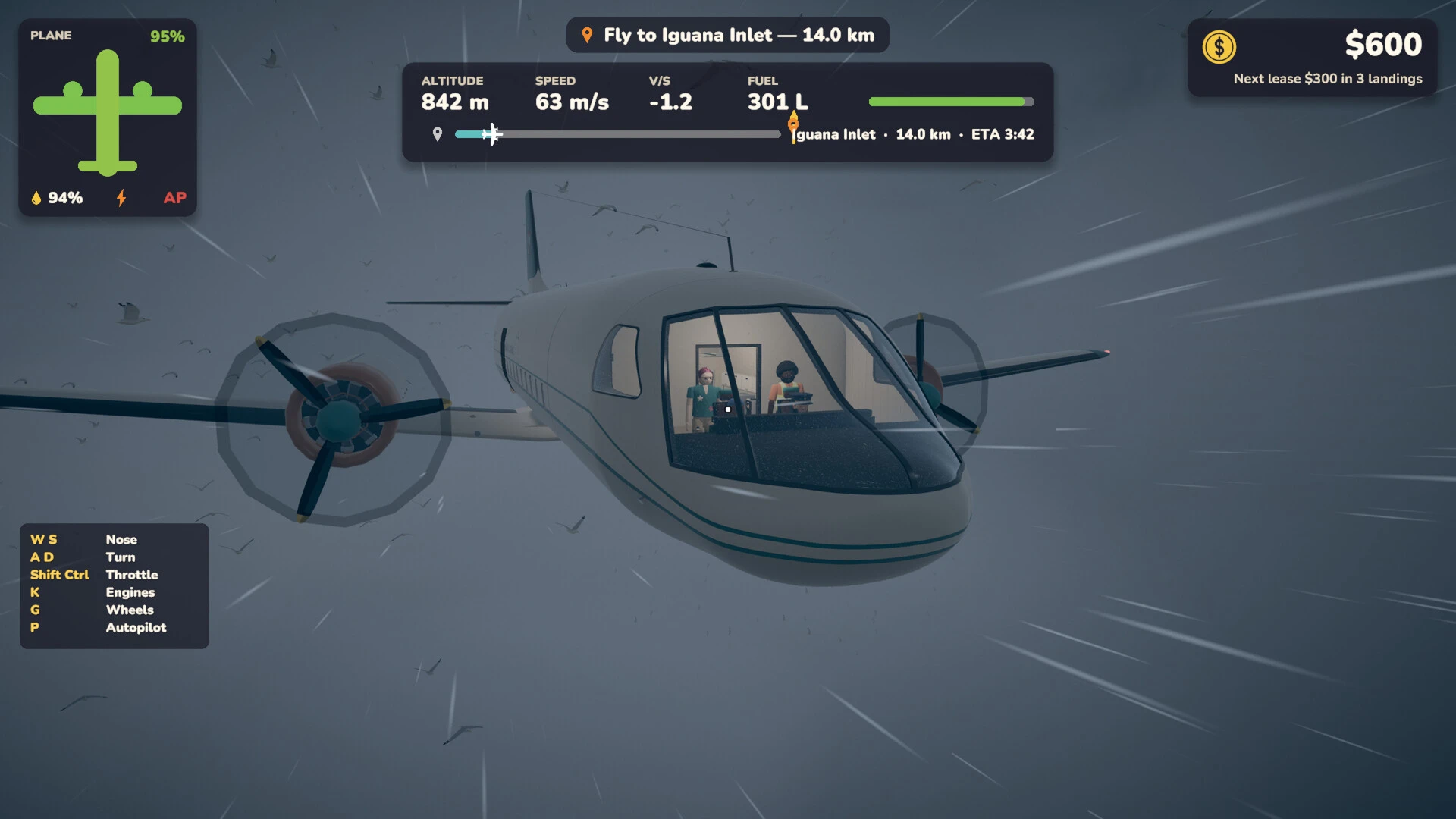
The aircraft lease payment is assessed at every destination landing, displayed in the top-right corner of the cockpit HUD. The heads-up display informs the crew of upcoming payments with notices showing the next lease cost across remaining landings. When approaching a payment deadline, the interface warns that the lease payment is due at the next landing. Crews must maintain sufficient funds in the bank before touching down to cover this mandatory fee.
Failing to satisfy the payment causes repossession notices declaring the lease unpaid. Missing a payment prompts emergency alerts stating the lease amount due. The airline company loses the plane when newspapers report that the aircraft departed without them. The incident summary logs the failure under missed lease payment cause. Surrendering the aircraft to the leasing company unlocks Repossessed.
Earning Money: Valuables, Cashier Sales, and Casino Gambling
At the roulette wheel, players hold their loot, press E on red, black, or green, and pull the lever. Wagering on red or black pays out at x2 multipliers, while green pays out at x35.
Looting a diamond yields a sugar-cube-sized gem worth a fortune at the casino. Recovered gold watches continue ticking and can be sold at the casino cashier. Finding a pearl necklace allows crews to sell inherited pearls belonging to an absent passenger.
Airport Turnaround and Route Selection
Between completed flights, the crew manages ground turnaround by refueling tanks, restocking supplies, repairing hull damage, and selecting the next destination. After parking on the apron, players can choose an emote from the emote wheel and celebrate a successful landing.